Secure online learning
Classroom Manager is a browser-extension-based classroom management tool designed to make online instruction and learning more effective for teachers and students.
About Classroom Manager
Classroom Manager is a browser-extension-based classroom management tool designed to make online instruction and learning more effective for teachers and students. It allows teachers to monitor student device activity in real-time, control online access, and redirect focus to keep students engaged and productive during lessons.
Keep classroom instruction time moving forward with easy-to-use visibility and control over students online activities
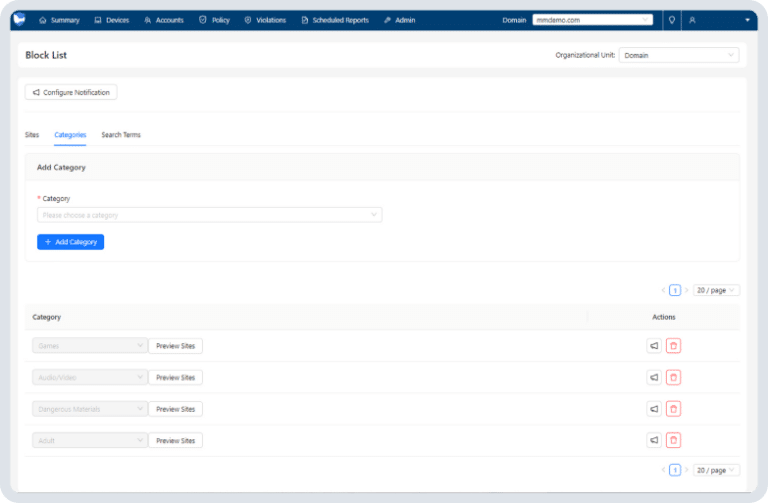
Using Classroom Manager, teachers have the ability to block distracting websites and guide students to appropriate resources to maximize instructional efficiency
Using Classroom Manager, teachers gain the visibility and control they need to guide students to resources that will help them stay focused and engaged with the topic.
Teachers can block distractions, lock screens, and redirect students to educational materials, ensuring and productive learning sessions.
Scenes let teachers create customized online access rules for groups or individual students
This enables tailored learning experiences, focused support, and collaboration on projects.
“Follow me” makes it easy to manage students accessing additional resources during class time. They don’t have to check out with their teacher to move to their reading or counseling session, for example.
Provides IT administrators with tools to set up and manage classes, monitor active sessions, and review teacher usage, ensuring smooth operation and classroom oversight.
Testimonials
"Our teachers love using ManagedMethods' Classroom Manager! It’s easy to navigate, keeps students focused, and eliminates distractions. The simple, intuitive interface allows teachers to seamlessly manage their classrooms, personalize learning when needed, and customize Classes to fit their unique teaching style and student needs—making lessons more engaging and effective."
Karen Brunker
Director of Technology Archer City ISD
“If you’re not sure which direction you want to go and you just want to give Content Filter a try, the POC has little to no impact in terms of getting it set up and running it in your environment. The amount of visibility you’ll get from Content Filter is amazing. I encourage everyone to try it out. It’s something that we’re required to have, so having something in place that works well and is easy to manage is a huge plus.”
Manny Sanchez
Director of Technology Azusa Unified School District
“Anytime we deal with a vendor, we go through the same thing. What’s different about ManagedMethods was that they stuck their necks out and went out of their way to ensure we had everything covered. Customer service was the priority rather than the financial side of things.”
Tyler Butler
Cyber Security Analyst Lufkin ISD
Our customers
Google Cloud ensures the highest level of infrastructure security, stability, and scalability
Integrated with Content Filter for the greatest flexibility for IT teams and teachers alike
Easy set up in mere minutes by deploying the browser extension to your Chromebooks
Intuitive design, making it easy for teachers to use so they can get back to what they do best
Step 1
Simply fill out the form with your details to start your free proof-of-concept.
Step 2
You'll receive an email within 24 hours from our support team with instructions to activate and set up your trial account.
Step 3
Content Filter integrates seamlessly with your Google Admin console. Simply decide which Organizational Units you would like to test out and set up your web blocking and/or monitoring requirements.
Step 4
We'll arrange a call to walk you through the platform, help with setup and answer your questions to optimize your use of Content Filter.
Get Started
Experience how Classroom Manager makes safe and engaged online learning in the classroom easy for teachers, students, and administrators. Book a demo today!