Banner

Modern Google OAuth Phishing: What K–12 Schools Need to Know

Google OAuth phishing is a type of cyberattack that tricks users into granting a malicious application access to their Google Workspace account through a legitimate OAuth consent screen instead of stealing their password. For K–12 schools, these attacks can expose sensitive student and staff data, making it essential for IT teams to monitor cloud activity and identify suspicious account behavior quickly.

The Google Docs Attack That Changed Phishing

In 2017, one of the most well-known phishing campaigns targeted Google Workspace users through what appeared to be a harmless Google Docs sharing invitation. The email looked legitimate and directed recipients to a real Google sign-in page, where they were prompted to authorize an application named “Google Docs.” In reality, the app was malicious, and by clicking Allow, users unknowingly granted attackers access to their Google accounts through OAuth. Even more scary, it was able to do so without them ever revealing their passwords.

The attack spread quickly because it exploited something users had been taught to trust: Google’s own authentication and permission screens. Google responded rapidly by disabling the malicious application and implementing additional safeguards, but the incident highlighted a new kind of phishing attack that relied on user consent rather than credential theft.

What began as a clever, one-off attack has since evolved into a common phishing technique used against organizations of every size, including K–12 schools. Today, OAuth consent phishing is a favored tactic because it abuses users’ trust in legitimate Google and Microsoft authorization screens, making it more difficult to recognize than traditional phishing attempts that rely on fake login pages.

What Happened During the Original Google Docs OAuth Attack?

How the Attack Worked

The original Google OAuth phishing attack began with fake Google Docs invitation emails that appeared to come from someone the recipient knew. When users clicked the link, they were taken to a legitimate Google sign-in and authorization page where an application labeled “Google Docs” requested permission to access their account through OAuth. Believing the request was genuine, many users clicked Allow, unknowingly granting attackers access to their Google Workspace accounts without ever sharing their passwords. The attack relied entirely on social engineering and user trust.

Why the 2017 Attack Was So Significant

The incident fundamentally changed how security professionals viewed phishing. Until then, most phishing attacks focused on stealing usernames and passwords through fake login pages. The Google Docs attack demonstrated that attackers could achieve the same objective by abusing a trusted authorization process, using Google’s own infrastructure and OAuth consent screens to make the attack appear legitimate.

By leveraging legitimate Google services, attackers were able to bypass many traditional phishing defenses, avoid stealing passwords altogether, and gain ongoing access to victims’ accounts through the permissions they had been granted. While Google quickly addressed the specific vulnerability exploited in the 2017 attack, the underlying tactic proved highly effective. 

Since then, cybercriminals have refined these techniques rather than abandoning them. This makes OAuth consent phishing a persistent threat for organizations, including K–12 schools that rely heavily on Google Workspace and Microsoft 365.

[FREE] Google Workspace and/or Microsoft 365 Security & Safety Audit. Learn More & Claim

OAuth Phishing Is Still a Growing Threat to Google Workspace 

OAuth phishing attacks in 2026 look very different from the original Google Docs campaign, but they rely on the same underlying principle: convincing users to grant access instead of surrendering their credentials. Rather than posing as Google Docs, attackers now commonly impersonate trusted business applications such as HR systems, PDF readers, e-signature platforms, AI productivity tools, file sharing services, and collaboration software. These requests often arrive through convincing emails or shared documents that appear routine, making them difficult for users to question.

Instead of prompting victims to enter a password, these malicious applications ask for permissions through legitimate OAuth consent screens. Depending on the permissions requested, users may unknowingly authorize an application to read email, access Google Drive, view calendars, send email on their behalf, or read contacts. In many cases, the requested access appears reasonable for the type of application being presented, increasing the likelihood that users will click Allow without closely reviewing the permissions.

This approach is particularly effective because the OAuth authorization screens themselves are genuine and display Google’s familiar branding, giving users confidence that the request is legitimate. Even organizations that have implemented multi-factor authentication (MFA) are not immune, since users can still voluntarily grant permissions to a malicious application after successfully authenticating. As a result, preventing Google OAuth phishing requires more than strong passwords and MFA. It also demands user awareness and continuous visibility into cloud activity to detect suspicious behavior after access has been granted.

Why K–12 Schools Are Especially Vulnerable to Google OAuth Phishing​

K–12 schools are particularly attractive targets for Google OAuth phishing because they depend heavily on cloud-based collaboration tools like Google Workspace and Microsoft 365. Every day, students, teachers, and staff share documents, collaborate on assignments, and use third-party educational applications that require OAuth permissions. With thousands of users interacting with these services, many of whom have limited cybersecurity awareness, it can be difficult to distinguish a legitimate authorization request from a malicious one.

Educational environments also face unique operational challenges. Lean IT teams are often responsible for managing thousands of devices and user accounts while supporting a growing number of cloud applications. The high volume of shared files, classroom invitations, and app integrations creates more opportunities for attackers to disguise malicious OAuth requests as routine educational activities.

The consequences of a successful OAuth phishing attack can extend far beyond a single compromised account. Depending on the permissions granted, attackers may gain access to student records, staff communications, shared drives, classroom documents, and other sensitive district information. If left undetected, they may also be able to use the compromised account to spread phishing emails internally, putting additional students and staff at risk.

Warning Signs of an OAuth Phishing Attack

Because OAuth phishing uses legitimate Google authorization screens, the warning signs can be subtle. Encourage staff and students to pause before approving any new application and watch for these red flags:

  • Unexpected requests to authorize new applications, especially if you weren’t expecting to connect a new service.
  • Applications requesting broad permissions that don’t match their stated purpose, such as a PDF viewer asking to read email or send messages.
  • Unfamiliar third-party apps appearing in your Google Workspace account or connected applications list.
  • Unexpected file sharing activity, including documents being shared with unknown users or unusual permission changes.
  • Emails sent from legitimate school accounts that contain unusual links, unexpected attachments, or requests to authorize an application.
  • Suspicious account activity after approving an application, such as unfamiliar login alerts, unauthorized emails, or unexpected changes to files or settings.

Google Has Improved OAuth Security, But Users Still Play a Critical Role

In response to the 2017 Google Docs phishing attack, Google introduced several security enhancements to make OAuth safer for organizations. These improvements include more rigorous app verification requirements, additional protections around sensitive and restricted OAuth scopes, clearer consent screens that provide more information about requested permissions, Security Checkup tools for reviewing connected applications, and expanded administrator controls that allow organizations to better manage third-party app access.

While these safeguards have significantly reduced the risk of malicious applications gaining access to Google Workspace accounts, they cannot eliminate the threat entirely. If a user is convinced that an OAuth request is legitimate and chooses to approve it, a malicious application may still receive the permissions it requested. That’s why user education, strong administrative policies, and continuous monitoring of cloud activity remain essential components of a comprehensive security strategy.

[FREE] Google Workspace and/or Microsoft 365 Security & Safety Audit. Learn More & Claim

How ManagedMethods Cloud Monitor Helps Detect OAuth-Based Threats

While user education and administrative controls are essential for reducing the risk of Google OAuth phishing, they’re only part of the solution. Cloud Monitor by ManagedMethods is a cloud-native security monitoring platform built specifically for K–12 schools, giving IT teams continuous visibility into Google Workspace and Microsoft 365 to help detect suspicious activity that may indicate a compromised account or unauthorized application access.

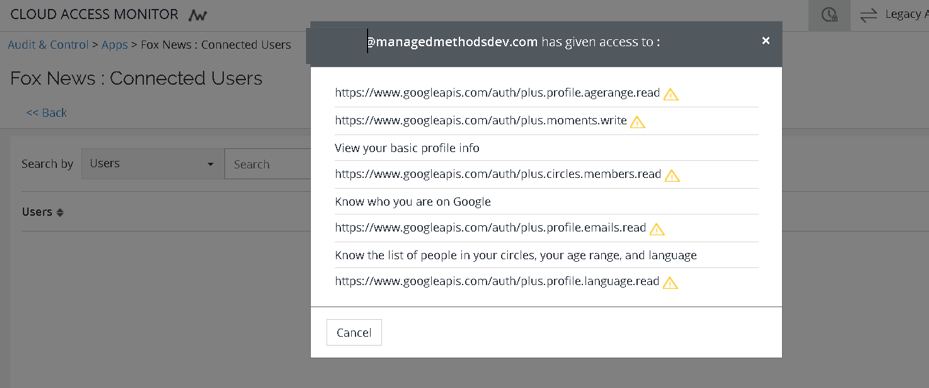
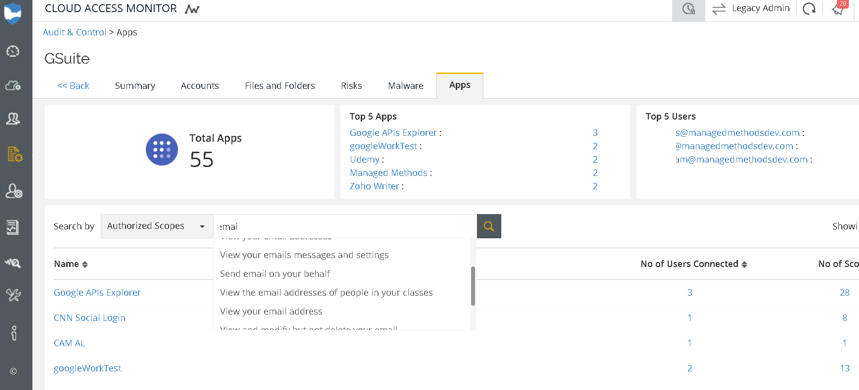
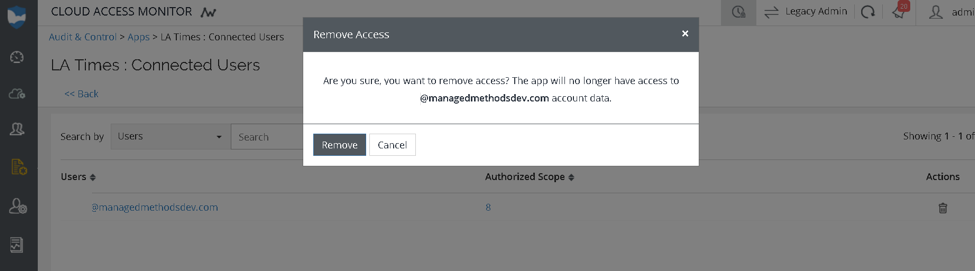
Cloud Monitor continuously monitors cloud activity for signs of potential threats, including suspicious account behavior, unusual login activity, unexpected file sharing, permission changes, and other indicators of compromise. Real-time alerts notify IT teams when unusual activity occurs, while context-rich investigations provide the user timelines and activity details needed to quickly understand what happened and determine the appropriate response. Because Cloud Monitor deploys through secure API integrations, districts can get up and running quickly without installing agents, proxies, or browser extensions.

No security solution can prevent every user from approving a malicious OAuth application, especially when attackers exploit legitimate authorization workflows. However, continuous monitoring made possible by Cloud Monitor helps districts identify suspicious activity early, investigate incidents with confidence, and respond before a compromised account can expose sensitive student data or escalate into a larger security event.

OAuth Phishing Isn’t New, But It’s More Dangerous Than Ever

The 2017 Google Docs attack was a turning point that introduced many organizations to the dangers of OAuth phishing. Although Google quickly responded by strengthening its OAuth security controls, attackers have continued to refine their tactics. Today, Google OAuth phishing and similar attacks targeting Microsoft 365 rely on trusted authorization workflows rather than stolen passwords, making them more difficult to detect with traditional email security alone.

For K–12 schools, protecting cloud environments requires more than blocking malicious emails. IT teams need continuous visibility into Google Workspace and Microsoft 365 to identify compromised accounts, detect unusual user behavior, monitor file sharing and permissions, and investigate suspicious activity before it leads to a data breach or widespread account compromise. As phishing techniques continue to evolve, proactive cloud security monitoring has become an essential part of a modern K–12 cybersecurity strategy.

ManagedMethods Cloud Monitor helps K–12 IT teams strengthen Google Workspace security and Microsoft 365 security with continuous cloud monitoring, real-time alerts, and actionable insights designed specifically for education. 

Start your free 30-day trial today to see how Cloud Monitor helps protect district data, accelerate threat investigations, and reduce the burden on your IT staff.

Blog CTA - Free Trial - Cloud Monitor

Category
Cloud Security